Invoice template built for AI batch runs.
A branded Word invoice with an hours/rate line-items table. Download it free, store one per client, and let Claude run the whole month-end batch from a spreadsheet.
No signup to download. Sign up free when you want Claude to fill it in over MCP.
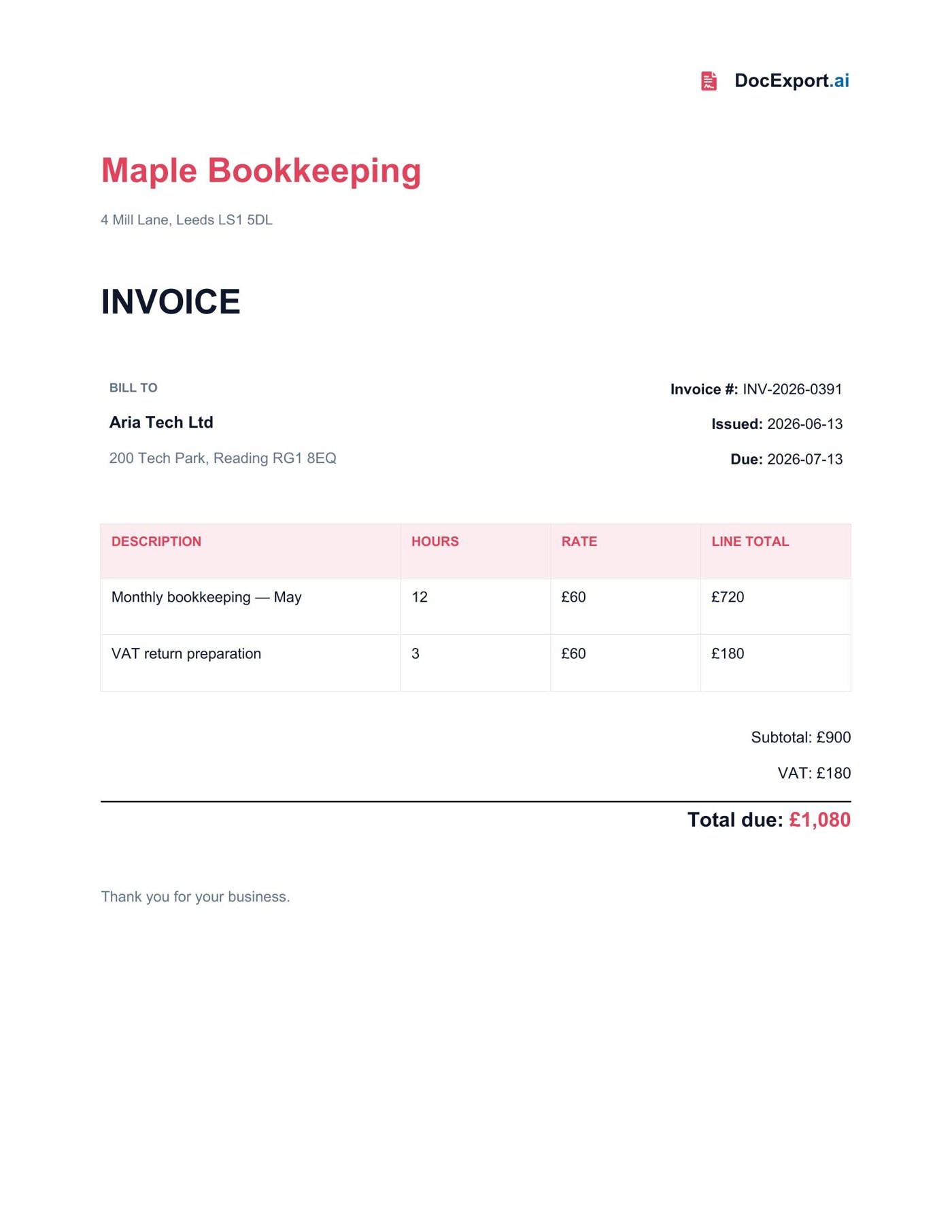
Rendered with sample data — click to open full size
About this template
This invoice template carries a business block, a bill-to block, invoice metadata, and a {{TableStart:LineItems}} region with hours, rate, and line totals. It's the exact shape behind the AI invoice generator use case: keep one .docx per client's branding, attach a CSV of hours, and Claude calls generate_document per client — branded PDFs back, no copy-paste.
Every {{placeholder}} the agent fills in.
| Field | What it means | Example |
|---|---|---|
{{BusinessName}} | Your business name (the sender). | Maple Bookkeeping |
{{BusinessAddress}} | Your business address. | 4 Mill Lane, Leeds |
{{InvoiceNumber}} | Unique invoice reference. | INV-2026-0391 |
{{InvoiceDate}} | Date the invoice is issued. | 2026-06-13 |
{{DueDate}} | Payment due date. | 2026-07-13 |
{{ClientName}} | Client being billed. | Aria Tech Ltd |
{{ClientAddress}} | Client's billing address. | 200 Tech Park, Reading |
{{LineItems}} | Repeating region — one row per item (Description, Hours, Rate, LineTotal). | array of rows |
{{Subtotal}} | Sum before VAT. | £900 |
{{VAT}} | VAT or tax amount. | £180 |
{{Total}} | Total amount due. | £1,080 |
Ask Claude in plain English.
Or pass a JSON payload directly
{
  "BusinessName": "Maple Bookkeeping",
  "BusinessAddress": "4 Mill Lane, Leeds LS1 5DL",
  "InvoiceNumber": "INV-2026-0391",
  "InvoiceDate": "2026-06-13",
  "DueDate": "2026-07-13",
  "ClientName": "Aria Tech Ltd",
  "ClientAddress": "200 Tech Park, Reading RG1 8EQ",
  "LineItems": [
    { "Description": "Monthly bookkeeping — May", "Hours": "12", "Rate": "£60", "LineTotal": "£720" },
    { "Description": "VAT return preparation", "Hours": "3", "Rate": "£60", "LineTotal": "£180" }
  ],
  "Subtotal": "£900",
  "VAT": "£180",
  "Total": "£1,080"
}From download to Claude-callable in four steps.
Grab the .docx, open it in Word, and swap in your logo, colors, and any clauses you want. Keep the {{placeholders}} you need.
Drop the file into your DocExport workspace. It auto-annotates every field in plain English so your agent knows what each one means.
Point Claude (Desktop, API, or any MCP client) at your DocExport endpoint. The template shows up as a callable tool.
Ask in plain English. Claude previews, self-corrects, and returns a polished PDF or DOCX via signed URL.
More free templates built for AI agents.
Make this template Claude-callable.
25 documents / month on the free tier. No credit card. Upload, annotate, and connect Claude in under 10 minutes.
Start free