Mutual NDA template with a fixed legal body.
A standard two-way confidentiality agreement where only the parties, dates, and term are variable. Download it free — the clauses stay verbatim so your agent never paraphrases the legal text.
No signup to download. Sign up free when you want Claude to fill it in over MCP.
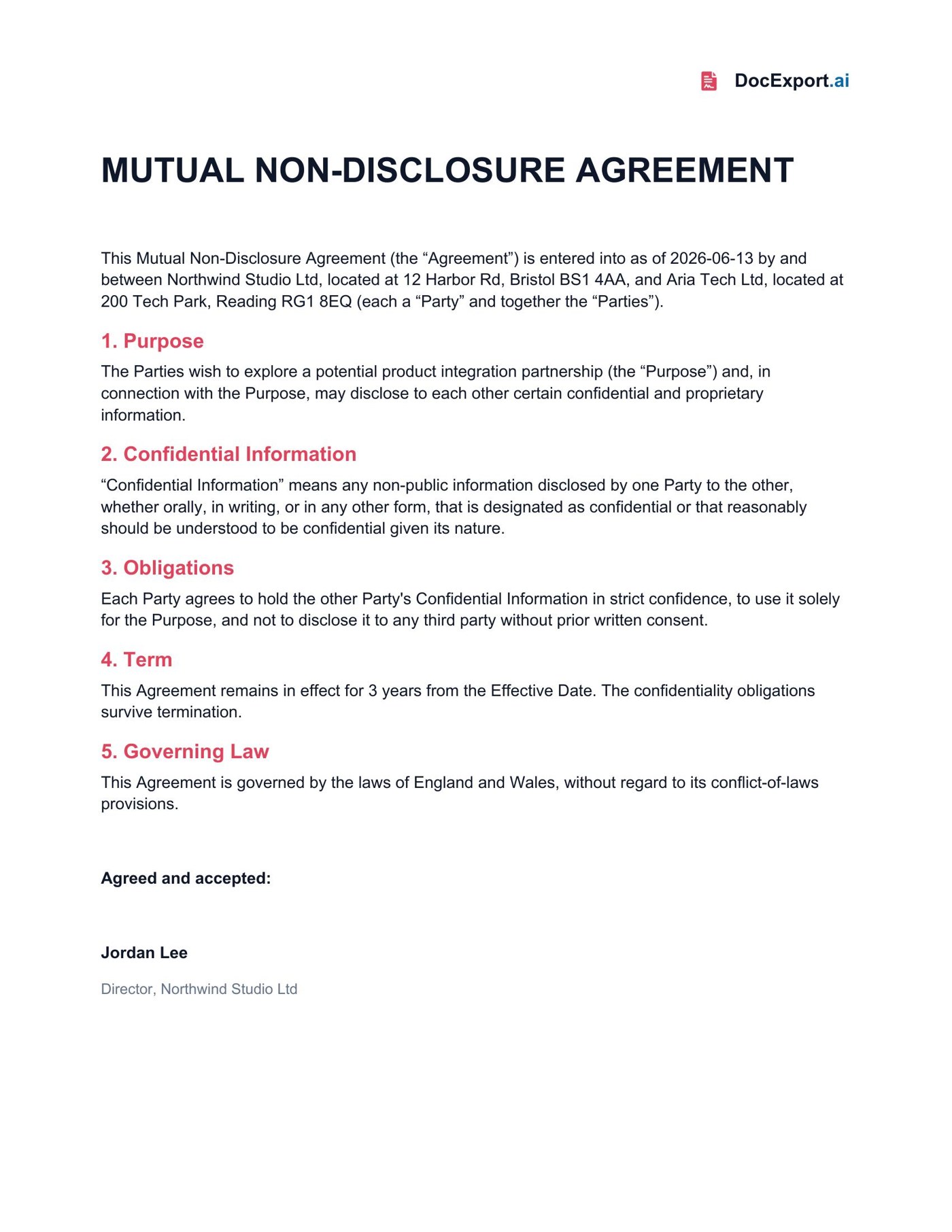
Rendered with sample data — click to open full size
About this template
This NDA template is deliberately conservative: the operative clauses (confidential information, obligations, term, governing law) are static prose, and only the {{placeholders}} — parties, addresses, purpose, term, governing law, signatory — change per agreement. That's exactly how DocExport is meant to handle legal documents: the agent fills variable fields, never rewrites the body. Edit the clauses once in Word to match your standard, then let Claude issue NDAs from a prompt.
Every {{placeholder}} the agent fills in.
| Field | What it means | Example |
|---|---|---|
{{EffectiveDate}} | Date the agreement takes effect. | 2026-06-13 |
{{DisclosingParty}} | First party / your entity name. | Northwind Studio Ltd |
{{DisclosingPartyAddress}} | First party's registered address. | 12 Harbor Rd, Bristol |
{{ReceivingParty}} | Second party name. | Aria Tech Ltd |
{{ReceivingPartyAddress}} | Second party's address. | 200 Tech Park, Reading |
{{Purpose}} | The purpose the parties are exploring. | a potential product integration partnership |
{{TermYears}} | How many years the agreement lasts. | 3 |
{{GoverningLaw}} | Jurisdiction whose law governs. | England and Wales |
{{SignatoryName}} | Name of the person signing. | Jordan Lee |
{{SignatoryTitle}} | Title of the signatory. | Director |
Ask Claude in plain English.
Or pass a JSON payload directly
{
  "EffectiveDate": "2026-06-13",
  "DisclosingParty": "Northwind Studio Ltd",
  "DisclosingPartyAddress": "12 Harbor Rd, Bristol BS1 4AA",
  "ReceivingParty": "Aria Tech Ltd",
  "ReceivingPartyAddress": "200 Tech Park, Reading RG1 8EQ",
  "Purpose": "a potential product integration partnership",
  "TermYears": "3",
  "GoverningLaw": "England and Wales",
  "SignatoryName": "Jordan Lee",
  "SignatoryTitle": "Director"
}From download to Claude-callable in four steps.
Grab the .docx, open it in Word, and swap in your logo, colors, and any clauses you want. Keep the {{placeholders}} you need.
Drop the file into your DocExport workspace. It auto-annotates every field in plain English so your agent knows what each one means.
Point Claude (Desktop, API, or any MCP client) at your DocExport endpoint. The template shows up as a callable tool.
Ask in plain English. Claude previews, self-corrects, and returns a polished PDF or DOCX via signed URL.
More free templates built for AI agents.
Make this template Claude-callable.
25 documents / month on the free tier. No credit card. Upload, annotate, and connect Claude in under 10 minutes.
Start free