Incident report template an agent can file from a dictation.
A structured incident report covering who, where, when, what, why, and follow-up. Download it free and let Claude file a consistent report from a spoken or typed account.
No signup to download. Sign up free when you want Claude to fill it in over MCP.
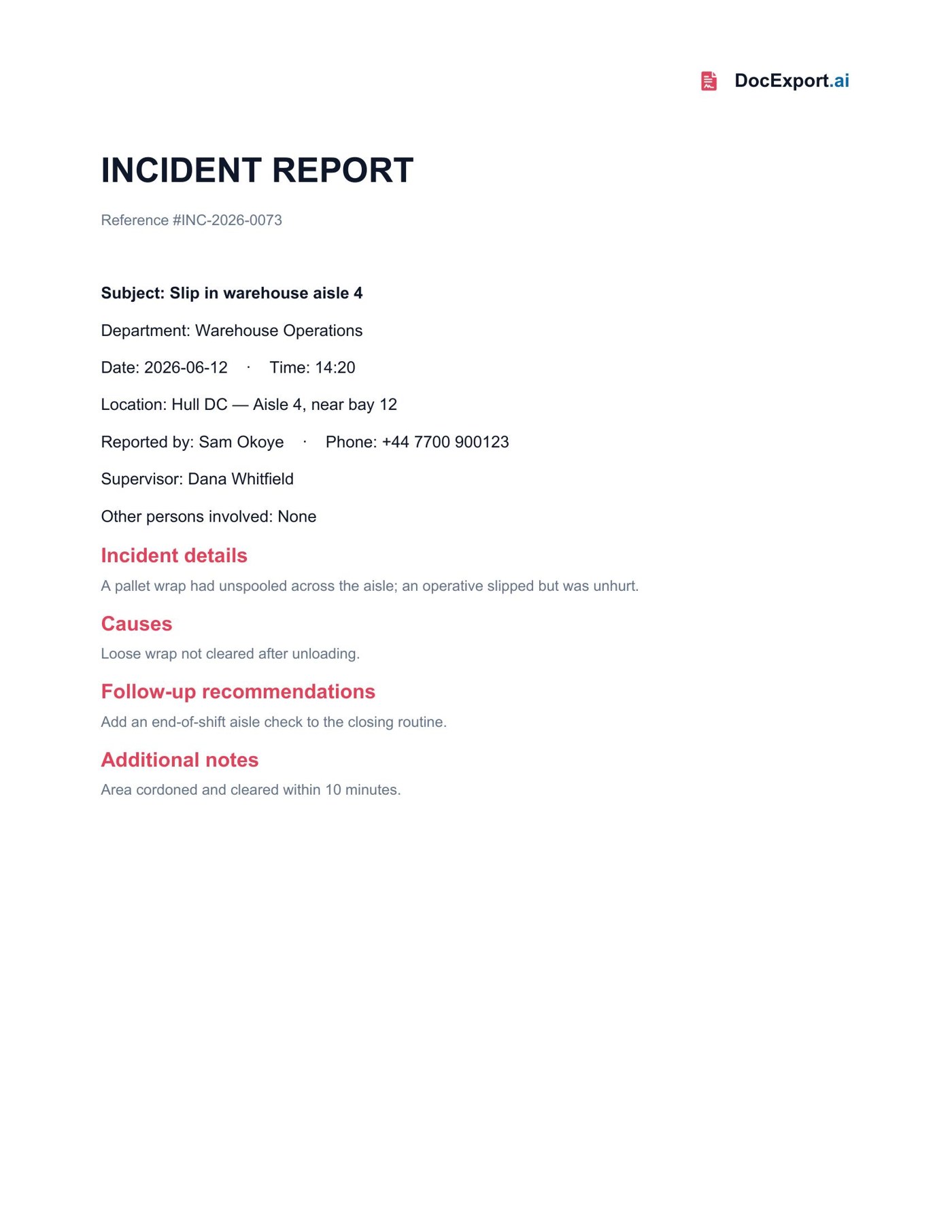
Rendered with sample data — click to open full size
About this template
This incident report exposes every field a safety team needs — reference, subject, department, date/time, location, reporter, supervisor, details, causes, and follow-up recommendations — as named placeholders. Dictate or paste an account and Claude produces a complete, consistently formatted report. (DocExport renders text and tables; photo and signature capture from the monday version aren't part of the standalone product, so this template is text-first.)
Every {{placeholder}} the agent fills in.
| Field | What it means | Example |
|---|---|---|
{{ReferenceNumber}} | Unique incident reference. | INC-2026-0073 |
{{Subject}} | One-line summary. | Slip in warehouse aisle 4 |
{{Department}} | Department involved. | Warehouse Operations |
{{IncidentDate}} | Date of the incident. | 2026-06-12 |
{{IncidentTime}} | Time of the incident. | 14:20 |
{{IncidentLocation}} | Site or facility. | Hull DC |
{{SpecificLocation}} | Exact spot. | Aisle 4, near bay 12 |
{{ReportedBy}} | Person reporting. | Sam Okoye |
{{PhoneNumber}} | Reporter's phone. | +44 7700 900123 |
{{Supervisor}} | Supervisor on duty. | Dana Whitfield |
{{OtherPersons}} | Anyone else involved. | None |
{{IncidentDetails}} | What happened. | A pallet wrap had unspooled… |
{{IncidentCauses}} | Apparent cause(s). | Loose wrap not cleared… |
{{FollowUpRecommendations}} | Recommended actions. | Add an aisle check… |
{{AdditionalNotes}} | Anything else of note. | Area cordoned within 10 minutes. |
Ask Claude in plain English.
Or pass a JSON payload directly
{
  "ReferenceNumber": "INC-2026-0073",
  "Subject": "Slip in warehouse aisle 4",
  "Department": "Warehouse Operations",
  "IncidentDate": "2026-06-12",
  "IncidentTime": "14:20",
  "IncidentLocation": "Hull DC",
  "SpecificLocation": "Aisle 4, near bay 12",
  "ReportedBy": "Sam Okoye",
  "PhoneNumber": "+44 7700 900123",
  "Supervisor": "Dana Whitfield",
  "OtherPersons": "None",
  "IncidentDetails": "A pallet wrap had unspooled across the aisle; an operative slipped but was unhurt.",
  "IncidentCauses": "Loose wrap not cleared after unloading.",
  "FollowUpRecommendations": "Add an end-of-shift aisle check to the closing routine.",
  "AdditionalNotes": "Area cordoned and cleared within 10 minutes."
}From download to Claude-callable in four steps.
Grab the .docx, open it in Word, and swap in your logo, colors, and any clauses you want. Keep the {{placeholders}} you need.
Drop the file into your DocExport workspace. It auto-annotates every field in plain English so your agent knows what each one means.
Point Claude (Desktop, API, or any MCP client) at your DocExport endpoint. The template shows up as a callable tool.
Ask in plain English. Claude previews, self-corrects, and returns a polished PDF or DOCX via signed URL.
More free templates built for AI agents.
Make this template Claude-callable.
25 documents / month on the free tier. No credit card. Upload, annotate, and connect Claude in under 10 minutes.
Start free