Marketing request form that writes itself from a brief.
A clean intake brief — audience, channels, key messages, deliverables, budget. Download it free and let Claude turn a Slack request into a structured marketing brief.
No signup to download. Sign up free when you want Claude to fill it in over MCP.
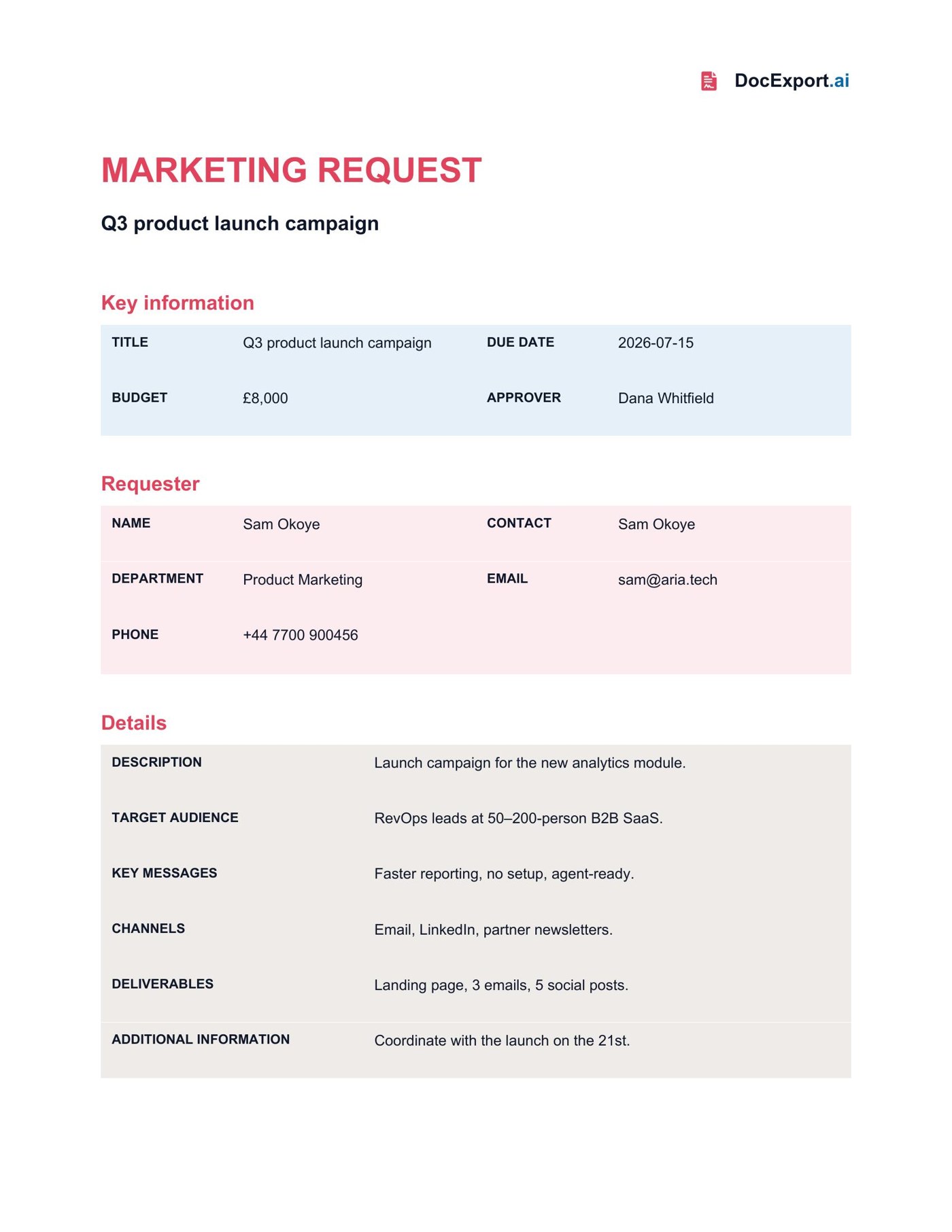
Rendered with sample data — click to open full size
About this template
This request form exposes every field a marketing team needs to triage work: requester and approver, department, due date, budget, target audience, channels, key messages, deliverables, and free-text description. Drop an informal request to Claude and it returns a complete, consistently structured brief — ready to print, attach, or hand to the team. (The monday version includes a file-upload field; the standalone product is text-first, so that field is omitted.)
Every {{placeholder}} the agent fills in.
| Field | What it means | Example |
|---|---|---|
{{RequestName}} | Title of the request. | Q3 product launch campaign |
{{Requester}} | Who is requesting. | Sam Okoye |
{{RequesterEmail}} | Requester's email. | [email protected] |
{{Phone}} | Requester's phone. | +44 7700 900456 |
{{Department}} | Requesting department. | Product Marketing |
{{Contact}} | Point of contact. | Sam Okoye |
{{Approver}} | Who signs off. | Dana Whitfield |
{{DueDate}} | When it is needed. | 2026-07-15 |
{{Budget}} | Allocated budget. | £8,000 |
{{Description}} | What is being requested. | Launch campaign for… |
{{TargetAudience}} | Who it targets. | RevOps leads at B2B SaaS. |
{{MarketingChannels}} | Channels to use. | Email, LinkedIn, newsletters. |
{{KeyMessages}} | Core messages. | Faster reporting, no setup. |
{{Deliverables}} | Expected outputs. | Landing page, 3 emails. |
{{AdditionalInformation}} | Anything else. | Coordinate with the launch. |
Ask Claude in plain English.
Or pass a JSON payload directly
{
  "RequestName": "Q3 product launch campaign",
  "Requester": "Sam Okoye",
  "RequesterEmail": "[email protected]",
  "Phone": "+44 7700 900456",
  "Department": "Product Marketing",
  "Contact": "Sam Okoye",
  "Approver": "Dana Whitfield",
  "DueDate": "2026-07-15",
  "Budget": "£8,000",
  "Description": "Launch campaign for the new analytics module.",
  "TargetAudience": "RevOps leads at 50–200-person B2B SaaS.",
  "MarketingChannels": "Email, LinkedIn, partner newsletters.",
  "KeyMessages": "Faster reporting, no setup, agent-ready.",
  "Deliverables": "Landing page, 3 emails, 5 social posts.",
  "AdditionalInformation": "Coordinate with the launch on the 21st."
}From download to Claude-callable in four steps.
Grab the .docx, open it in Word, and swap in your logo, colors, and any clauses you want. Keep the {{placeholders}} you need.
Drop the file into your DocExport workspace. It auto-annotates every field in plain English so your agent knows what each one means.
Point Claude (Desktop, API, or any MCP client) at your DocExport endpoint. The template shows up as a callable tool.
Ask in plain English. Claude previews, self-corrects, and returns a polished PDF or DOCX via signed URL.
More free templates built for AI agents.
Make this template Claude-callable.
25 documents / month on the free tier. No credit card. Upload, annotate, and connect Claude in under 10 minutes.
Start free