Meeting agenda template with a topics table.
A simple agenda with a repeating topic/presenter/time table and a notes block. Download it free and let Claude draft the agenda before every recurring meeting.
No signup to download. Sign up free when you want Claude to fill it in over MCP.
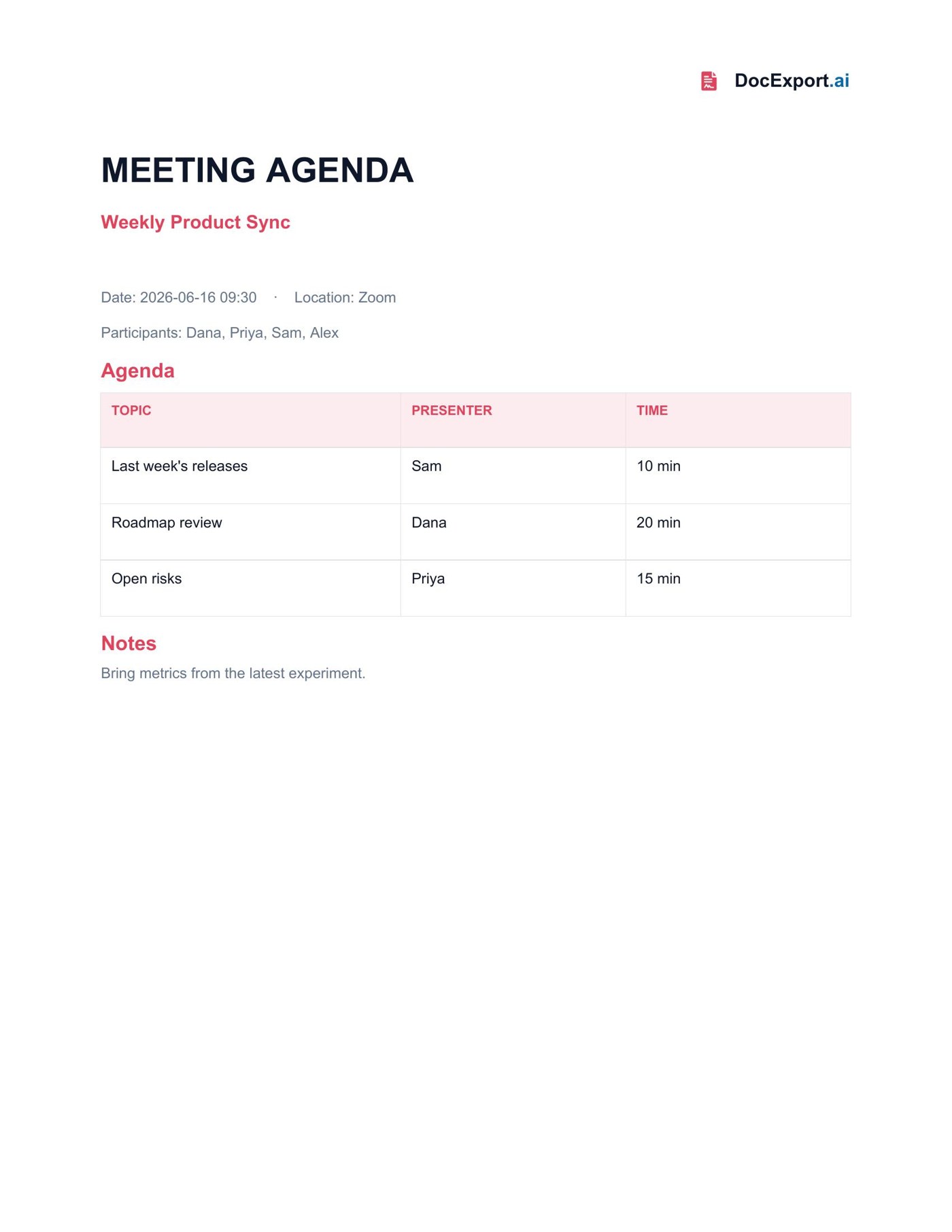
Rendered with sample data — click to open full size
About this template
This agenda template has meeting metadata, a participants line, and a {{TableStart:AgendaItems}} region for topics with presenter and time-box. Hand Claude the goals of the meeting and it produces a structured agenda — ideal as the first half of a recurring-meeting workflow whose second half is the minutes template.
Every {{placeholder}} the agent fills in.
| Field | What it means | Example |
|---|---|---|
{{MeetingTitle}} | Title of the meeting. | Weekly Product Sync |
{{Date}} | Date and time. | 2026-06-16 09:30 |
{{Location}} | Where it is held. | Zoom |
{{Participants}} | Comma-separated participant list. | Dana, Priya, Sam |
{{AgendaItems}} | Repeating region — one row per topic (Topic, Presenter, Duration). | array of rows |
{{Notes}} | Any prep notes for attendees. | Bring the latest metrics. |
Ask Claude in plain English.
Or pass a JSON payload directly
{
  "MeetingTitle": "Weekly Product Sync",
  "Date": "2026-06-16 09:30",
  "Location": "Zoom",
  "Participants": "Dana, Priya, Sam, Alex",
  "AgendaItems": [
    { "Topic": "Last week's releases", "Presenter": "Sam", "Duration": "10 min" },
    { "Topic": "Roadmap review", "Presenter": "Dana", "Duration": "20 min" },
    { "Topic": "Open risks", "Presenter": "Priya", "Duration": "15 min" }
  ],
  "Notes": "Bring metrics from the latest experiment."
}From download to Claude-callable in four steps.
Grab the .docx, open it in Word, and swap in your logo, colors, and any clauses you want. Keep the {{placeholders}} you need.
Drop the file into your DocExport workspace. It auto-annotates every field in plain English so your agent knows what each one means.
Point Claude (Desktop, API, or any MCP client) at your DocExport endpoint. The template shows up as a callable tool.
Ask in plain English. Claude previews, self-corrects, and returns a polished PDF or DOCX via signed URL.
More free templates built for AI agents.
Make this template Claude-callable.
25 documents / month on the free tier. No credit card. Upload, annotate, and connect Claude in under 10 minutes.
Start free