Shipping note template with a repeating goods table.
A clean delivery note that lists an order and its line items. Download it free and let Claude turn an order record into a printable dispatch note.
No signup to download. Sign up free when you want Claude to fill it in over MCP.
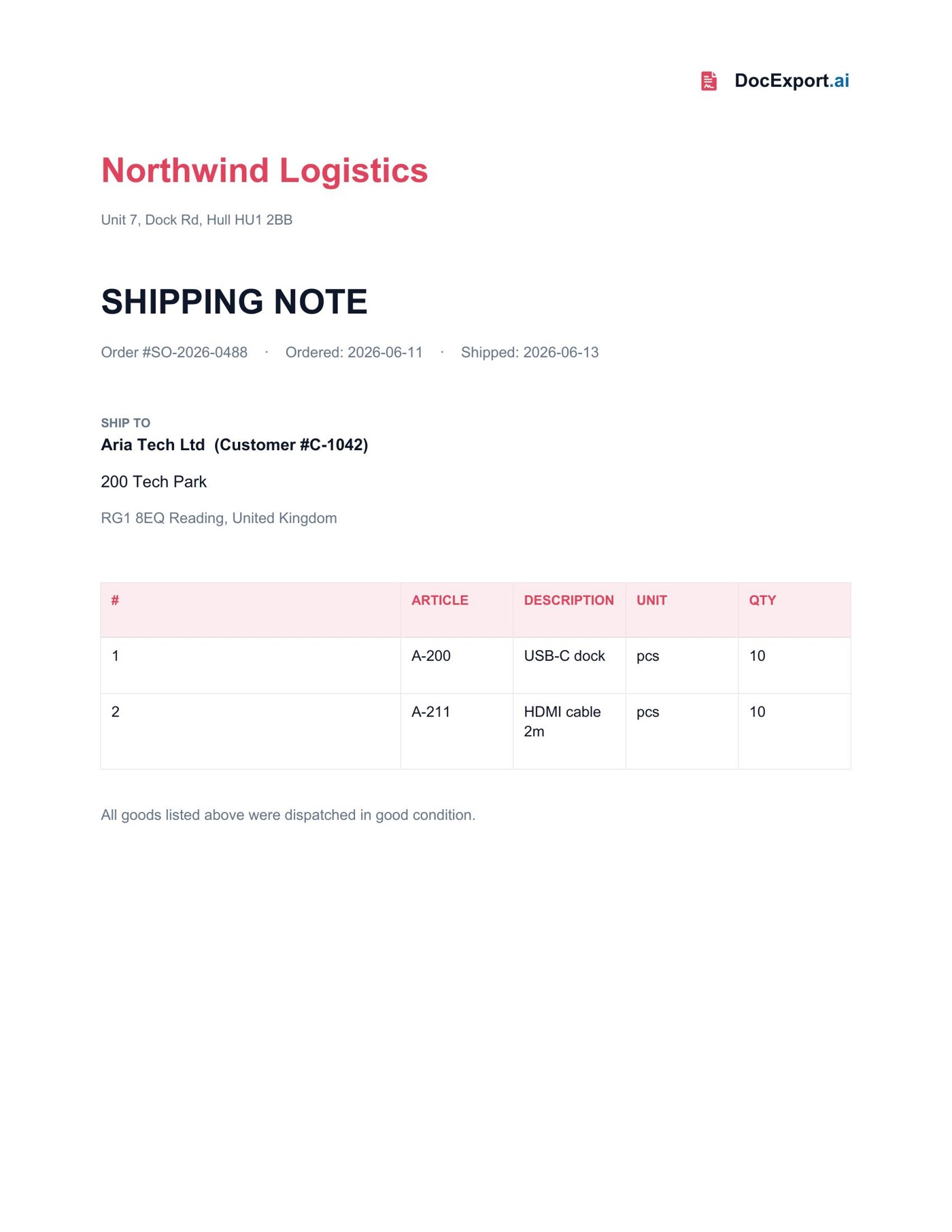
Rendered with sample data — click to open full size
About this template
This shipping note carries sender and customer blocks, order metadata, and a {{TableStart:Goods}} region that renders one row per article (numbering, article number, description, unit, quantity). It mirrors the proven DocExport-for-monday shipping note — rebuilt with clean field names so an AI agent can map an order straight into it. Add unit prices and a total in your own copy if you need a priced variant.
Every {{placeholder}} the agent fills in.
| Field | What it means | Example |
|---|---|---|
{{SenderName}} | Your company / dispatcher name. | Northwind Logistics |
{{SenderAddress}} | Your dispatch address. | Unit 7, Dock Rd, Hull |
{{OrderNumber}} | Order or sales-order reference. | SO-2026-0488 |
{{OrderDate}} | Date the order was placed. | 2026-06-11 |
{{ShippingDate}} | Date of dispatch. | 2026-06-13 |
{{CustomerName}} | Recipient company. | Aria Tech Ltd |
{{CustomerNumber}} | Your internal customer number. | C-1042 |
{{CustomerStreet}} | Recipient's street. | 200 Tech Park |
{{CustomerZipCity}} | Postcode and city. | RG1 8EQ Reading |
{{CustomerCountry}} | Destination country. | United Kingdom |
{{Goods}} | Repeating region — one row per article (Numbering, ArticleNo, Description, Unit, Quantity). | array of rows |
Ask Claude in plain English.
Or pass a JSON payload directly
{
  "SenderName": "Northwind Logistics",
  "SenderAddress": "Unit 7, Dock Rd, Hull HU1 2BB",
  "OrderNumber": "SO-2026-0488",
  "OrderDate": "2026-06-11",
  "ShippingDate": "2026-06-13",
  "CustomerName": "Aria Tech Ltd",
  "CustomerNumber": "C-1042",
  "CustomerStreet": "200 Tech Park",
  "CustomerZipCity": "RG1 8EQ Reading",
  "CustomerCountry": "United Kingdom",
  "Goods": [
    { "Numbering": "1", "ArticleNo": "A-200", "Description": "USB-C dock", "Unit": "pcs", "Quantity": "10" },
    { "Numbering": "2", "ArticleNo": "A-211", "Description": "HDMI cable 2m", "Unit": "pcs", "Quantity": "10" }
  ]
}From download to Claude-callable in four steps.
Grab the .docx, open it in Word, and swap in your logo, colors, and any clauses you want. Keep the {{placeholders}} you need.
Drop the file into your DocExport workspace. It auto-annotates every field in plain English so your agent knows what each one means.
Point Claude (Desktop, API, or any MCP client) at your DocExport endpoint. The template shows up as a callable tool.
Ask in plain English. Claude previews, self-corrects, and returns a polished PDF or DOCX via signed URL.
More free templates built for AI agents.
Make this template Claude-callable.
25 documents / month on the free tier. No credit card. Upload, annotate, and connect Claude in under 10 minutes.
Start free